

The Zio XT 14-Day Continuous ECG Patch Monitor records every heartbeat for up to 2 weeks so we can match what you feel with your heart rhythm. Press the patch button when symptoms happen and log the time and activity in MyZio or the paper booklet. For patients with MCAS (mast cell activation syndrome) or sensitive skin, I strongly recommend applying 2 thin coats of 3M Cavilon No Sting Barrier Film (letting each layer dry for a full 2 minutes) before putting the patch on so you can comfortably finish all 14 days.
TL;DR: The Zio XT 14-Day Continuous ECG Patch Monitor matches what you feel with what your heart is doing during daily life. When a symptom happens, press the patch button and log the time, sensation, and activity in MyZio or the paper diary. If you have MCAS or sensitive skin, I strongly recommend applying 2 thin layers of 3M Cavilon No Sting Barrier Film (letting each coat dry for 2 full minutes) before placing the patch so mast-cell itching does not cut your 14-day test short.
A flutter may last a few seconds and disappear before you get to an appointment. A Zio XT 14-Day Continuous ECG Patch Monitor ships to your home and records during its wear period, including while you sleep.11 Your description helps make sense of the strip: a thump after a pause, a sudden run of fast beats, or feeling lightheaded when you stand can point to different answers.
Call 911 for emergency symptoms, including new or persistent chest pain or pressure, severe trouble breathing, or fainting with palpitations. Do not wait for an app response or a monitor report. A patch monitor cannot call emergency help for you.12
Why do I strongly recommend 3M Cavilon Barrier Film for MCAS and sensitive skin?
For my patients with MCAS (mast cell activation syndrome), hypermobile EDS, or adhesive sensitivity, I strongly recommend applying 2 thin coats of 3M Cavilon No Sting Barrier Film - letting each layer dry for a full 2 minutes - before applying the Zio XT 14-Day Continuous ECG Patch Monitor.
Many of the patients I see for palpitations, skipped beats, or POTS also live with MCAS. In MCAS, keeping an acrylate adhesive patch on the chest for 2 weeks often triggers local mast-cell flare-ups, redness, and intense itching by day 3 or 4. Two weeks is a long time to wear a device on your chest, and protecting the skin barrier before the patch goes on is what lets the recording run the full 14 days it was ordered for.
3M Cavilon No Sting Barrier Film is an alcohol-free liquid barrier that forms a thin, breathable shield between your skin and the Zio adhesive.8 Our MCAS and sensitive-skin patients use this 2-layer protocol to finish the full 14-day Zio XT wear with minimal or zero itching:
- Order 3M Cavilon as soon as your Zio is prescribed: Because iRhythm ships the Zio XT kit to your home in about 2 days, pick up 3M Cavilon No Sting Barrier Film (spray or foam wand) right away so you have it before the box arrives.
- Prep and dry your chest skin first: Follow the Zio kit steps to shave, gently exfoliate, and wipe the upper-left chest site with alcohol, then let your skin dry for at least 60 seconds.7 Skip all lotions, oils, or steroid creams, which keep the patch from sticking.
- Apply 2 thin layers of 3M Cavilon (2 minutes of drying per coat): Paint or spray 1 thin, even layer of 3M Cavilon over the adhesive wing footprint (keeping the two center gel electrode circles clear so the electrical signal stays sharp) and let it dry for a full 2 minutes. Apply a second thin layer and let it dry for another 2 minutes.8
- Press the Zio XT patch onto the dry film: 3M's Cavilon instructions say to let the coating dry before placing an adhesive device on top.8 That 2-minute dry time per layer is the step to hold onto, because the patch needs a dry, firm seal to record a clear tracing.
Standard iRhythm instructions cover shaving, exfoliating, and alcohol drying without listing a barrier film, so if another doctor ordered your monitor, check with their office first.7 A severe allergy is also a separate conversation: if you have had blistering or severe reactions to adhesives or hydrogel, tell me before opening the box so we can pick a different monitoring plan.7 If your skin blisters, weeps, spreads well past the patch, or looks infected during wear, remove the patch using the remover wipe and message me and iRhythm. Our guide to adhesive reactions covers more ways to calm reactive skin.
What does a Zio XT 14-day heart monitor help us find?
A patch monitor records every heartbeat over 7 to 14 days of daily life so we can catch intermittent rhythm changes, count your 24-hour extra-beat (PVC or PAC) burden, and see if your symptoms match your heart rhythm.
An office ECG is only a 10-second snapshot. A 24- to 48-hour Holter monitor can catch episodes that happen every day, while many palpitations, vagal runs, or standing flares happen only a few times a week.3 Wearing the Zio XT 14-Day Continuous ECG Patch Monitor at home captures both daytime triggers and sleep rhythms.
A rhythm recording answers a different question from an echocardiogram or coronary artery scan. The patch checks the heart's electrical wiring, whereas an echo checks the heart valves and chambers. When we need both answers, we pair your home Zio patch with an outpatient echo.
What should I record when I feel something?
Whenever you feel a symptom, press the center button on the Zio patch once and log the time, sensation, and activity in the MyZio app or paper booklet.
iRhythm's patient instructions show how the button press works.11 Useful details to write down include:
- The time it began and roughly how long it lasted.
- What you felt: fluttering, pounding, skipped beats, dizziness, or breathlessness.
- What you were doing, such as working at a desk, walking up stairs, lying down, or standing up from bed.
- Anything else that happened at the same time, including flushing, a meal, chest discomfort, or feeling faint.
For example: "2:15 PM, fluttering for about 30 seconds while seated at my desk; felt a little lightheaded." You do not need to guess which rhythm it was. Use your own words.
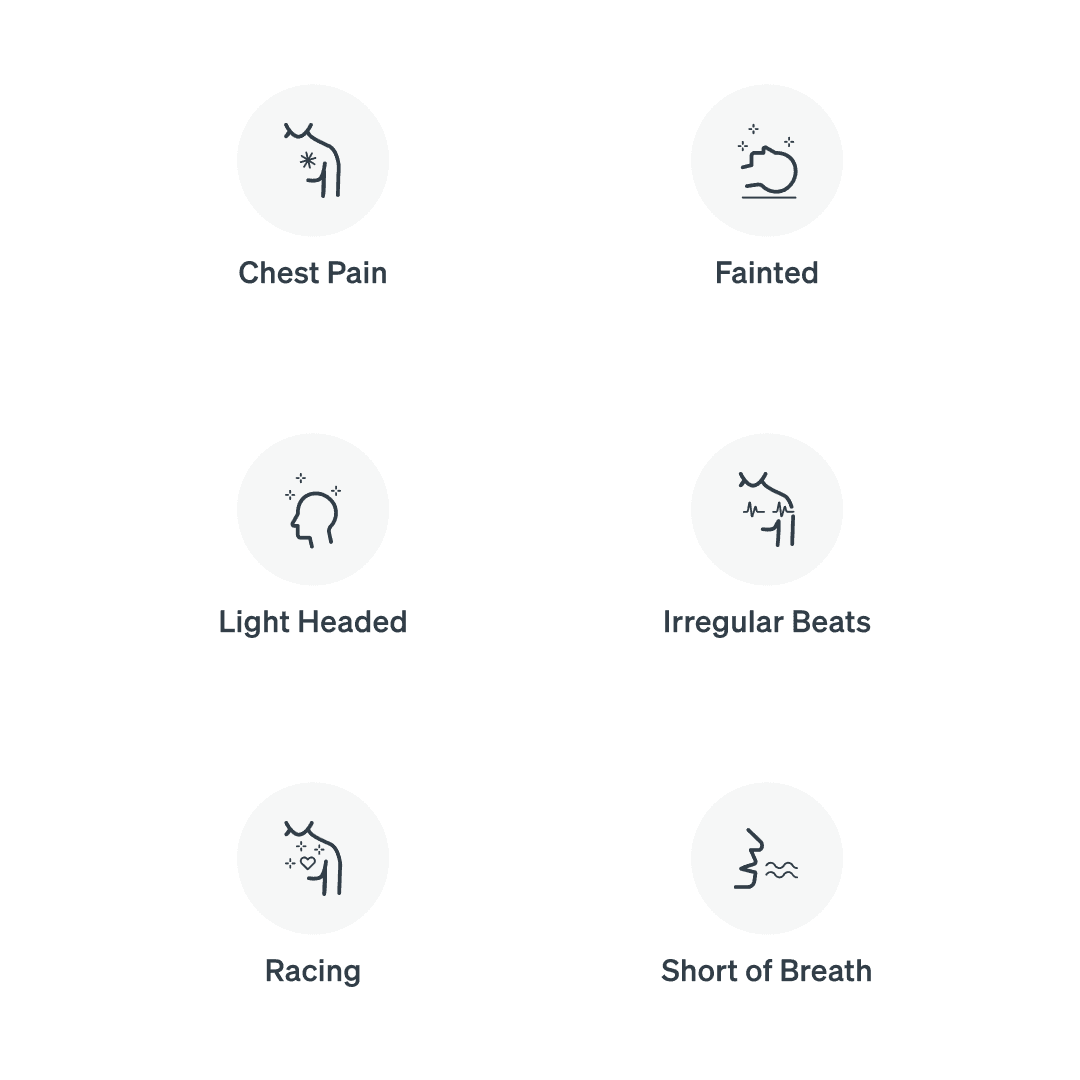
Symptom illustration supplied from iRhythm patient materials. These are examples for a symptom diary; chest pain, fainting, and severe breathlessness may need emergency care as described above.
Fishtown Medicine
A 90-minute conversation with Dr. Ash. A written plan you can follow.
How does the MyZio app help?
MyZio lets you log symptoms on your phone in seconds, review your wear instructions, and track your patch return without carrying a paper booklet.
The app is free for iPhone and Android, and a paper symptom log comes inside every Zio XT box if you prefer paper.45 If you use the paper booklet, fold it back into the prepaid box when you mail the monitor back. Logging a symptom in MyZio marks the timestamp for the final report; it does not send a live alert to a doctor.
Why might I need a full 14 days of recording instead of 48 hours?
In a study of more than 1.1 million Zio patch recordings, most rhythm problems were first caught after the first 48 hours of wear.
A study in Heart Rhythm reviewed 1,100,337 patch recordings and found that even among people who felt symptoms every day, most first rhythm findings happened after 48 hours.6 Many felt palpitations occurred during normal sinus rhythm, while true rhythm changes often appeared during sleep.6 Wearing the Zio XT for the full 14 days gives us both sides of that picture. That is why protecting your skin upfront with 3M Cavilon No Sting Barrier Film matters so much if you have MCAS or reactive skin.
How do I handle daily wear and returning the patch?
Keep the Zio XT patch on day and night for the prescribed 14 days, avoid showers for the first 24 hours so the seal sets, and mail the patch back in the prepaid USPS box as soon as your wear finishes.
iRhythm's Zio monitor education page has short application, wear, and removal videos. After the first 24 hours, you can take brief showers with your back to the water stream, while avoiding baths, hot tubs, saunas, or swimming. For a loose edge or device question, iRhythm Customer Care is available at 888-693-2401.9
When your 14 days finish, peel the patch off slowly using the included adhesive-remover wipe, place the monitor and paper log into the prepaid return box, and drop it in any USPS mailbox.2 Once iRhythm receives the device, the finalized report arrives in our clinic portal in about 5 days so we can review it together.
What will we look at together when the result comes back?
We review three things on your finalized Zio report: your heart rhythm at the times where you pressed the button, your 24-hour extra-beat (PVC/PAC) percentage, and whether any silent arrhythmias or pauses appeared during sleep.
If your familiar racing or fluttering episodes happened while your heart was in normal sinus rhythm, that is a very helpful answer - it rules out a dangerous electrical arrhythmia and points us toward autonomic causes like POTS or MCAS histamine surges. And if the patch catches frequent PVCs, supraventricular tachycardia (SVT), or atrial fibrillation, we have the rhythm strip in hand to guide treatment. Monitoring is one part of cardiovascular care.
Key Takeaways
- For MCAS and sensitive-skin patients, we strongly recommend 3M Cavilon No Sting Barrier Film: Apply 2 thin layers over the adhesive footprint (letting each coat dry for 2 full minutes) before placing the Zio XT 14-Day Continuous ECG Patch Monitor so you can complete all 14 days with minimal or no itching.
- Press and log every symptom: Press the patch button when you feel fluttering, racing, or dizziness, and note the time and activity in MyZio or the paper booklet.
- Why 14 days matters: Most actionable arrhythmias are first detected after the first 48 hours of wear.6
- Mail the patch back promptly: Drop the prepaid USPS box in the mail when your wear ends so we can review your full rhythm report together about 5 days later.
- Urgent symptoms need urgent care: A patch monitor does not replace 911 for chest pain, fainting, or severe shortness of breath.
Related at Fishtown Medicine
- MCAS Treatment in Philadelphia
- Heart monitor adhesive reactions
- Skipped beats and PVCs
- Lightheadedness and dizziness
- Racing heart when standing (POTS)
- Wearable AFib alerts
- Heart imaging
- Cardiovascular health
Scientific References
- American Heart Association. Warning Signs of a Heart Attack.
- iRhythm. How Zio Works.
- Steinberg JS, Varma N, Cygankiewicz I, et al. 2017 ISHNE-HRS expert consensus statement on ambulatory ECG and external cardiac monitoring/telemetry. Full text.
- iRhythm. MyZio for iPhone.
- iRhythm. MyZio for Android.
- Battisti AJ, Pinkerton R, Fokin V, et al. Relationship of symptom frequency and symptom-rhythm correlation to arrhythmia type and time to detection: Insights from ambulatory electrocardiogram monitoring in over 1 million patients. Heart Rhythm. 2026;23(2):e200-e208. PubMed.
- iRhythm. Zio monitor Instructions for Use, LB10117.06, May 2026.
- 3M. Cavilon No Sting Barrier Film Instructions for Use.
- iRhythm. Zio Monitor Education.
- iRhythm. Instructions for Use: model-specific manuals.
- iRhythm. Zio XT Clinical Reference Manual, N100A4010.06.

Frequently Asked Questions
Common Questions
Ready when you are
The chat is our AI assistant, answering from our published guides. To talk it through with Dr. Ash himself, start with the intake.